Product designers
Design your product end to end — flows, screens, states and responsive layouts — the way you are used to, without writing CSS. Your decisions on spacing, sizing and typography reach the shipped product intact.
Get started
What Shippp is, why it exists, and how your product design becomes the source of truth for the shipped product.
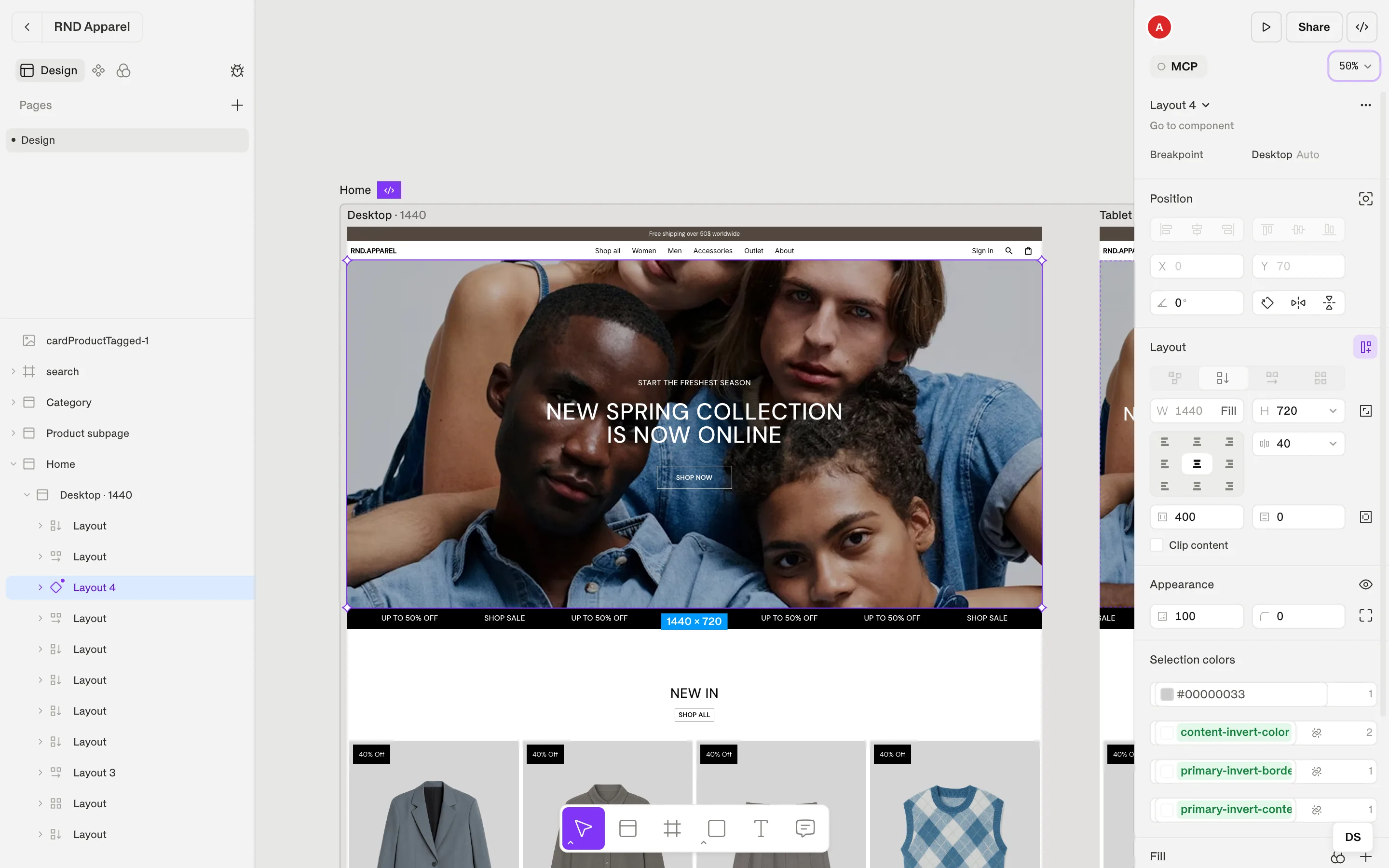
Shippp is a product design tool built for the way products are made now. You design your product — its screens, flows and interface — on a free, familiar canvas, together with your team and on the design system the product is built from. That design becomes the product's single source of truth: the place people and AI tools read from, and the source of production-ready code — a Next.js project, a design-system package or single screens, using Chakra UI, Base UI or Radix.
AI has changed how products get built. Designs, code and specs move faster than ever — but the one source of truth that used to hold a team together has practically disappeared. A screen exists as a mockup, as a prompt, as generated code and as a spec, and each of them drifts a little further from the others.
Shippp brings that source of truth back, and puts it where product decisions are made: in the design. Our goal is to build the best product design tool for this new era — one where designers, developers and AI agents all work from the same product.
In Shippp, your design is the product's source, not a picture of it. Smart layout behaves like CSS flexbox and grid, breakpoints behave like media queries, tokens become theme variables and components become typed React components with variants. Code, previews and AI tools all read from the same file — so when the design changes, everything built from it can follow.
You still work the way a product designer works — explore, lay out flows, iterate on screens, review with the team. The things you already care about — consistent spacing, a clean type scale, reusable components, responsive behaviour — are exactly the things that make the shipped product good.
Design your product's screens and flows, for Mobile, Tablet and Desktop in one responsive section.
Build the product's UI from components with variants, properties and instance swaps.
Keep the design system behind it — tokens, responsive text styles, effect styles — in the same file.
Work together in real time with live cursors, comments and version history.
Try any screen as a real web page, in light and dark, before it ships.
Export a runnable Next.js project with a generated Storybook, a design-system package or single screens.
Let AI clients like Claude, Cursor or VS Code work from the same file: read your design system and edit your designs through MCP.
Every file follows the same short path from canvas to codebase:
| Step | Where | What happens |
|---|---|---|
| 1. Design | Editor | You design the product's screens with smart layout, components, tokens and text styles. |
| 2. Mark as ready | Section inspector | Select for dev marks the screens a developer (or an agent) should build. |
| 3. Preview | Live preview | The screen runs as a real page — the same renderer that produces the code. |
| 4. Ship | Export code or MCP | Download a .zip, or let an AI client generate and sync code into a repository. |
Product designers
Product teams
Design-system owners
Teams that build with AI
Key concepts
The vocabulary of Shippp: spaces, pages, sections, screens, containers, components and tokens.
The editor
A tour of the canvas, the bottom toolbar, the layers panel and every inspector section.
Smart layout
Vertical, horizontal and grid layouts, with Fill, Hug and Fixed sizing.
Components & variants
Build a component once, add variants in Studio and place instances everywhere.
Export code
Choose an output format and a code target, then download a .zip.
Connect an AI client
Set up Claude, Claude Code, Cursor, VS Code, Codex or Replit in a few clicks.
We are here to help