Collaborate
Real-time collaboration
Design together with live cursors, comments and follow mode.
Every Shippp file is multiplayer. Teammates, reviewers and AI clients can work in the same file at the same time, and every change appears for everyone instantly.
See who is here
- Avatars of everyone in the file appear at the top of the right panel.
- You see their cursors and selections live on the canvas.
- With many people in the file, Show all N participants lists everyone.
Follow someone
Click a collaborator's avatar to follow them: your view moves with theirs. It is the easiest way to run a design review or pair on a screen. Move the canvas yourself to stop following.
Comments
Press C (Comment) and click anywhere on the canvas to start a thread. A comment dropped on a layer stays attached to it when the layer moves.
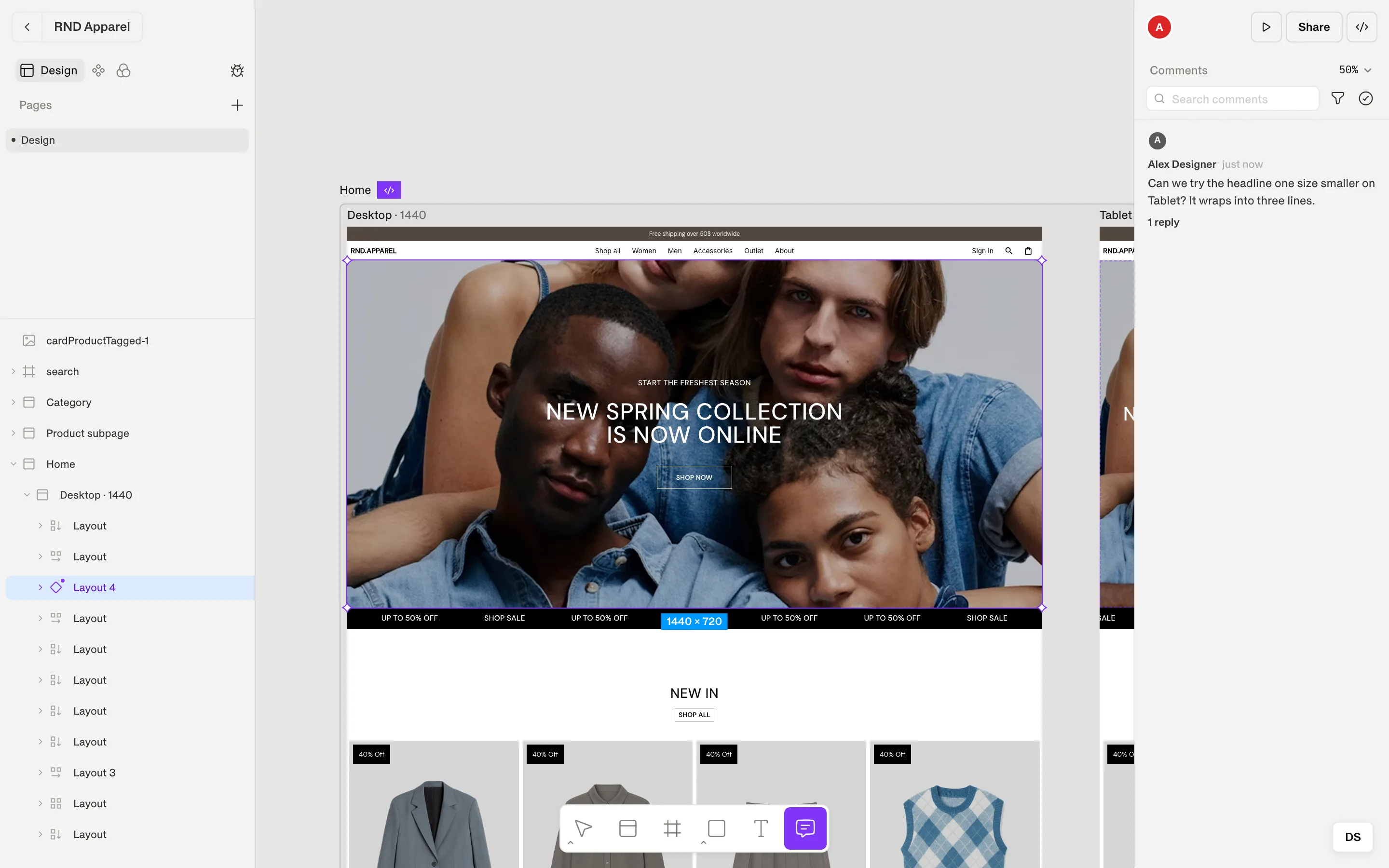
| You can… | How |
|---|---|
| Reply and mention | Reply in the thread; type @ to mention a teammate. They see Mentions you. |
| Resolve | Resolve thread when it is done; Reopen thread brings it back. |
| Track what is new | Mark as read / Mark as unread; sort by date or by unread. |
| Find a discussion | Search comments, and show or hide resolved comments. |
Note
Working offline
If your connection drops, keep designing. Shippp shows Offline — changes are saved locally and syncs your work when you reconnect.
AI clients in the file
When someone connects an AI client through MCP, its activity shows up in the MCP button of the right panel — including Collaborators' agents working in the same file. Agent changes follow the same path as yours: they are validated, attributed and can be reverted. See MCP → Access & permissions.