Collaborate
Versions & history
Save named versions and restore earlier states of a file.
Shippp saves every change automatically. On top of that, you can save named versions at milestones and go back to any earlier state of the file.
Save a version
Open the File menu
Click the file name and choose Save Version…. You can also run Save version… from the command palette.Name it
Use a name the team understands — for example 1.0.0, Beta release or Client review 2.
Browse and restore
Open File menu → Version History. The list shows Current state, your named versions and Auto-save entries.
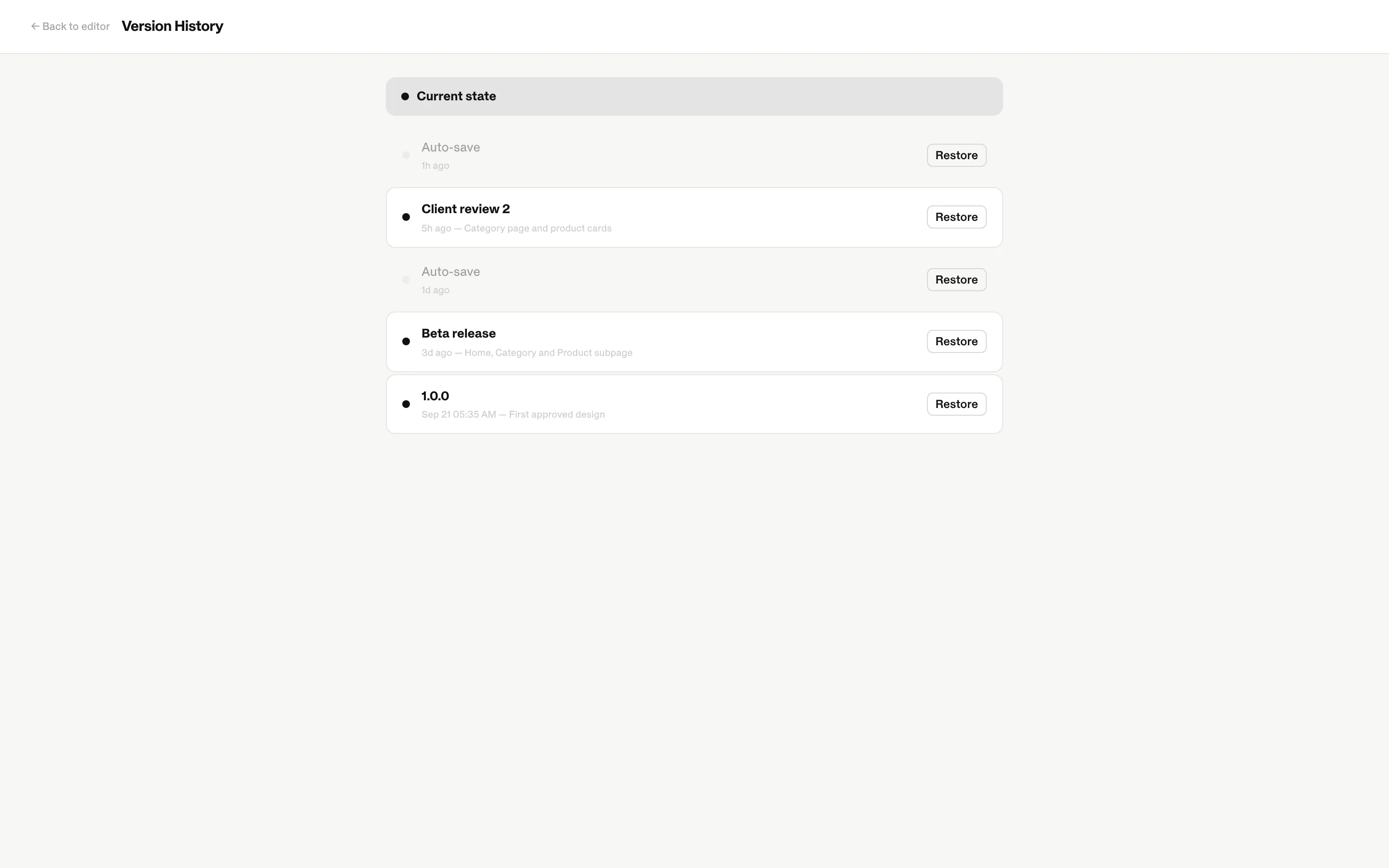
Select an entry and click Restore to bring the file back to that state. Restoring needs an internet connection, so every collaborator sees the same result.
Tip
Save a named version before a big change — a rebrand, a new grid, a component refactor. It is the quickest way back if the experiment doesn't work out.
Versions and code
Named versions are also snapshots for development. AI clients connected through MCP can list them and generate code from an exact version — so developers can build from the design you approved while you keep working on the next iteration.
| Use | Why |
|---|---|
| Before a handoff | Developers build from a fixed, reviewable state. |
| Before a large refactor | An easy restore point. |
| At review milestones | A shared name for what was approved. |